
Customer-specific pricing
Order lines can retain customer rates, price-per-kilogram or each pricing and the calculated line value used downstream.
Food wholesale order management
Larder keeps customer prices, allocated lots, actual weights and proof of delivery with the order. Finance can review the resulting invoice record and any later issued versions.
From order to invoice
The office, warehouse, drivers and finance team need different views of the work, but they should not need different versions of the order.
Example workflow. We agree the exact configuration with your team during implementation.
Compare these workflows with the ERP buyer's guideApply the relevant customer rate, requested quantity, delivery date and operational notes at order entry.
Allocate traceable lots and record shortages or substitutions. Actual-weight capture is added only through a configured and validated physical workflow.
Build the delivery run from customer orders, verify the required stock evidence and dispatch through the controlled run workflow.
The assigned driver records the outcome and required signature, photo, temperature or location evidence. Accepted POD updates the delivery and order together.
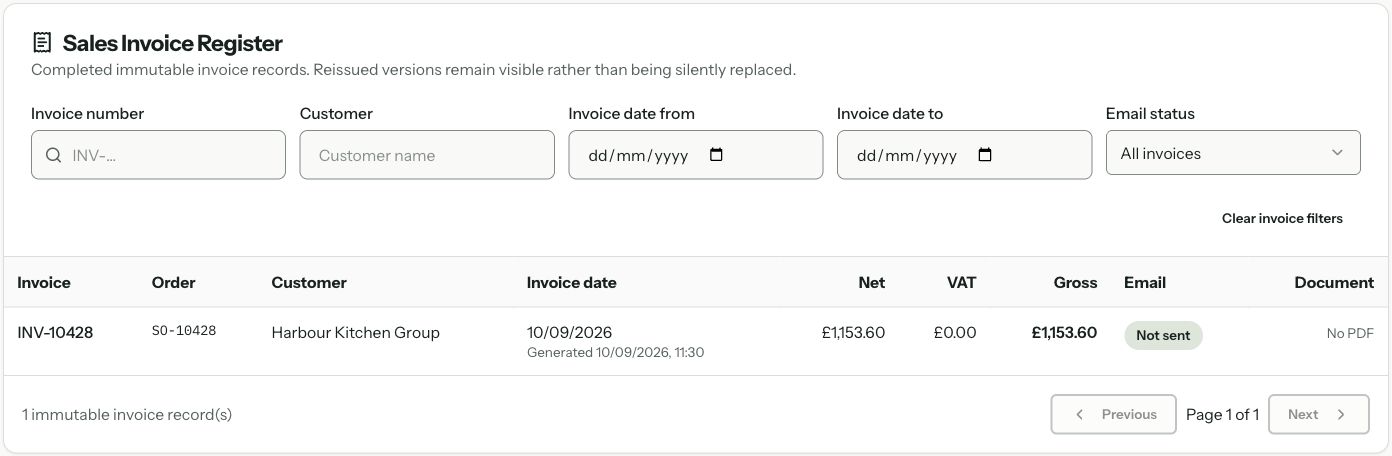
A completed delivery can create an invoice record that retains the issued values, alongside the finance-approval record. Accounting connections are assessed separately; automatic generic exports remain unavailable.
Follow the order’s progress, check what is holding it up and review the changes before finance acts.
Order lines can retain customer rates, price-per-kilogram or each pricing and the calculated line value used downstream.
Tie order demand to specific lots, while recording partial allocation, shortages and approved substitutions.
The controlled Scale Station workflow retains picked quantity and variable actual weight after compatible hardware and operating rules are validated.
Assigned-driver POD can retain outcomes, signatures, photos, temperature readings and privacy-safe location verification according to policy.
Accepted POD moves delivery and order evidence together and can create the saved invoice record used by Finance. Manual status changes cannot bypass that workflow.
The Sales Invoice Register provides a CSV download of the selected records. QuickBooks sales-invoice sync remains unavailable, as do automatic generic export jobs. Other provider-specific paths are configured and tested separately.
Each team adds to the same order history. Required delivery records and accounting connections are agreed and tested during implementation.
The controlled fulfilment path can retain actual weight and commercial rate information in the saved invoice record created after accepted POD. We still verify the capture, pricing, tax, approval and provider rules during implementation.
Assigned-driver POD supports delivery outcomes and can include signatures, photos, temperature readings and privacy-safe location verification. Required evidence is configured and launch-tested for the operation.
Larder includes QuickBooks Online connection and selected customer, supplier, product and purchase-invoice sync paths when configured. QuickBooks sales-invoice sync remains unavailable; the Sales Invoice Register provides a CSV download of the selected records. Automatic export-on-invoice and generic accounting export jobs also remain unavailable.
Work through a rejected carton, its invoice or credit, returned stock and the remaining customer obligation.
Read moreSee how actual weights and per-kilogram pricing stay connected.
Read moreFollow allocated lots through receiving and any available downstream records.
Read moreUse practical scenarios to compare vendors and implementation plans.
Read moreStart with the real workflow
Follow an order through pricing, picking, weighing, delivery and finance. We will explain what is available, which connections need testing and what Larder cannot yet do.