
Target versus actual
Store a target and captured actual weight on the same order line, with variance available for operational review.
Catch-weight software
Catch-weight software keeps the quantity ordered separate from the weight actually supplied. Larder connects both to the selected lot, weight checks and per-kilogram price. Scales and the physical workflow are tested at your site before live use.
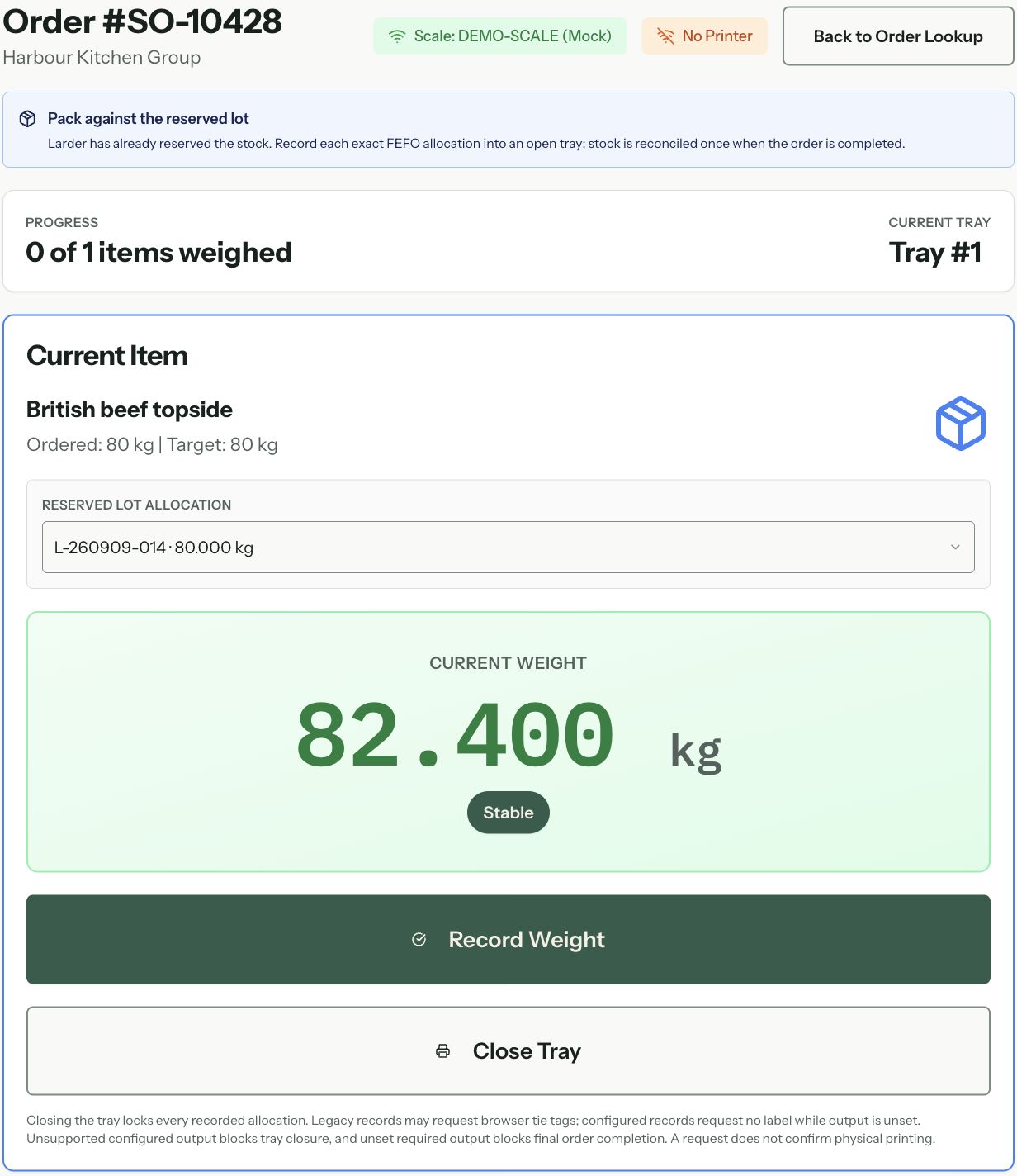
Variable weight, one transaction
In the fictional product walkthrough, a customer orders 80 kg of beef topside at £14/kg: an initial value of £1,120. An actual weight of 82.4 kg gives £1,153.60 before any applicable tax. The order, lot and agreed rate explain why the final value changes.
Example workflow. We agree the exact configuration with your team during implementation.
Compare these workflows with the ERP buyer's guideCreate the order line with catch-weight enabled, a target weight and the applicable customer or per-kilogram rate.
Allocate the relevant lot so the weight recorded for fulfilment remains connected to batch traceability.
A configured workflow can record the measured weight with a scale reference or a controlled manual-entry path and reason. The weighing and printing process must be validated at your site before live use.
Compare actual against target, minimum, maximum and tolerance rules before the line moves on.
Keep the final weight and agreed price per kilogram together. Dispatch and invoicing have their own checks, agreed and tested during implementation.
Keep the details needed to compare the order with the actual weight and understand the final value.
Store a target and captured actual weight on the same order line, with variance available for operational review.
Minimum, maximum and percentage tolerance fields support an explicit in- or out-of-tolerance status.
Keep the applicable rate and calculated price beside the actual weight so a configured finance hand-off can use the same commercial context.
Production weighing records can retain who weighed the item, when, on which scale and the reference identifying that reading.
Where manual entry is permitted, keep a reason and a record of how the weight was entered.
The data model can retain the chosen lot and actual weight with the order item; downstream dispatch evidence depends on the validated rollout stage.
The precise screen and device flow depends on the operation, but the underlying record can hold the commercial and operational detail needed for review.
The order model keeps actual weight, price per kilogram and calculated price together. The exact capture and approval flow is configured and tested before the fulfilled value is used downstream.
Yes. Minimum, maximum and percentage-tolerance fields support variance and tolerance status. The exact thresholds and handling process are configured around the operation.
That needs a hardware and workflow check. We verify the scale model, connection method, required accuracy and fallback process before promising integration.
Follow one weighed order from target and tare through delivered quantity and invoice value.
Read moreKeep the weighed item connected to its received or produced lot.
Read moreSee how actual-weight context can support configured delivery and finance hand-offs.
Read moreSee catch weight alongside yield, species, origin and existing ABP records.
Read moreStart with the real workflow
We will walk it from order entry to final value, including stock allocation, tolerances, scale constraints and what happens when the weight is outside the expected range.