
Lot identity and dates
Store supplier and internal batch references, received and pack dates, use-by dates and a trace code on the stock lot.
Food traceability software
Food traceability connects the batch received from a supplier to the stock you hold and the customers it supplies. Larder brings those recorded links together for UK food wholesalers and processors. Each link depends on the team capturing the relevant receiving, production or dispatch stage.
One connected record
The traceability record grows as the physical stock moves. Each stage adds operational evidence without rebuilding the same batch history in a separate file.
Example workflow. We agree the exact configuration with your team during implementation.
Compare these workflows with the ERP buyer's guideReceive against a purchase order and record supplier batch, your batch, dates, origin, species, allergens and intake checks as applicable.
Split a lot while preserving its total quantity, or complete production to update input stock, output lots and the yield record together. New production lots await quality review. Merge, repack and relabel remain unavailable.
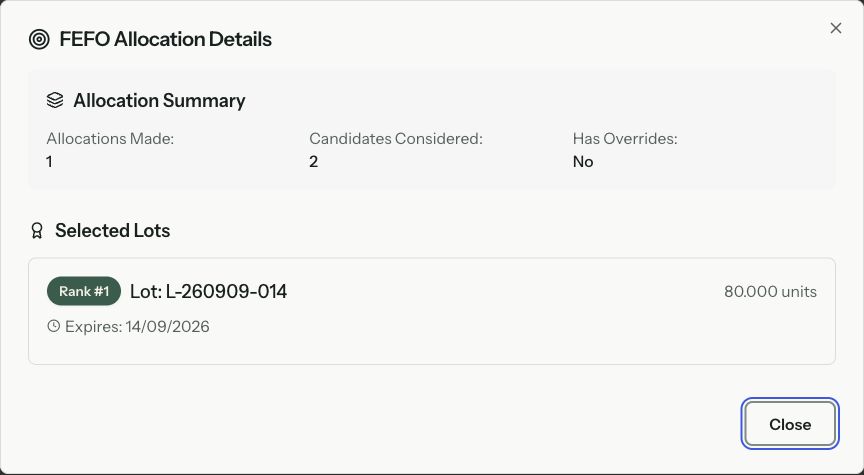
Allocate lots to order lines with FEFO support, while retaining the exact stock record chosen for fulfilment.
Use available order and dispatch records to retain lot, quantity and actual-weight context. Physical dispatch completion is enabled only after launch validation.
Start with a received or produced lot and follow it forward, or start with dispatched stock and work back to source records.
Larder is designed to make traceability part of receiving, production and fulfilment rather than a separate compliance exercise completed afterwards.
Store supplier and internal batch references, received and pack dates, use-by dates and a trace code on the stock lot.
Record applicable origin stages, species, ear tags, cattle passport references and allergen information alongside the lot.
Links between source and output lots retain the processing history. Lot splitting preserves the total quantity; completing production records its output lots. Merge, repack and relabel remain unavailable.
Quarantine, quality-review and recall-lock states help stop affected stock from being treated as ordinarily available.
Expiry-aware allocation supports first-expired, first-out fulfilment while preserving the lot selected for the order.
Where dispatch line records have been created, they connect the customer, order item, product, lot, quantity and actual weight used for delivery.
The fields used depend on the product and your operating procedure. Larder can keep these details in the same record instead of across intake forms and separate trackers.
For example, receive 120 kg from a supplier batch, dispatch 45 kg to Customer A and 35 kg to Customer B, and retain 40 kg in stock. Those recorded links let you investigate both customers and the remaining stock. This illustration assumes no processing or wastage; missing records leave gaps.
Yes, where the controlled fulfilment path has captured the relevant lot, allocation, transformation, dispatch and POD records. The trace remains only as complete as the evidence the operation recorded.
Larder can connect supplier-side receiving records to internal lots and customer-side dispatch records. The completeness of that evidence depends on the process being configured correctly and followed by the team.
No software can make that promise on its own. Larder provides operational records and controls that can support a food business's traceability process; legal, regulatory and assurance responsibility remains with the operator.
Test both directions, including the links through a split or mixed production batch.
Read moreConnect target and actual weights to stock, pricing and fulfilment.
Read moreSee how the order model prepares delivery and finance hand-offs.
Read moreStart with the real workflow
Bring a representative receiving-to-dispatch workflow. We will show which records Larder connects, identify any configuration or migration work and be clear about gaps.